
Home > Frequently used guides and links > Frequently used guides and links (for the first time) > Guidelines for new students > omedeto > Let's Use Email
Let's Use Email
Updated 2026/01/27
We provide Exchange Online as your email platform.
You will receive announcements from the university, as well as notifications related to your classes, via email.
Since sending and receiving emails is essential for university life, please make sure you are able to use it.
| Goals | ・Be able to log in to Exchange Online ・Be able to check the emails you receive |
1. How to log in Exchange Online
Your email address is,
「SIC ID@sic.shibaura-it.ac.jp」
e.g.) z100000@sic.shibaura-it.ac.jp
※Your email address that is listed on your Letter of Acceptance
1.1.Access Exchange Online 
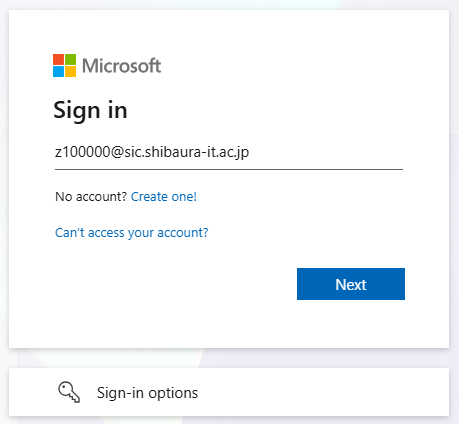
Enter your university account.
SICID@sic.shibaura-it.ac.jp (e.g.:z100000@sic.shibaura-it.ac.jp)
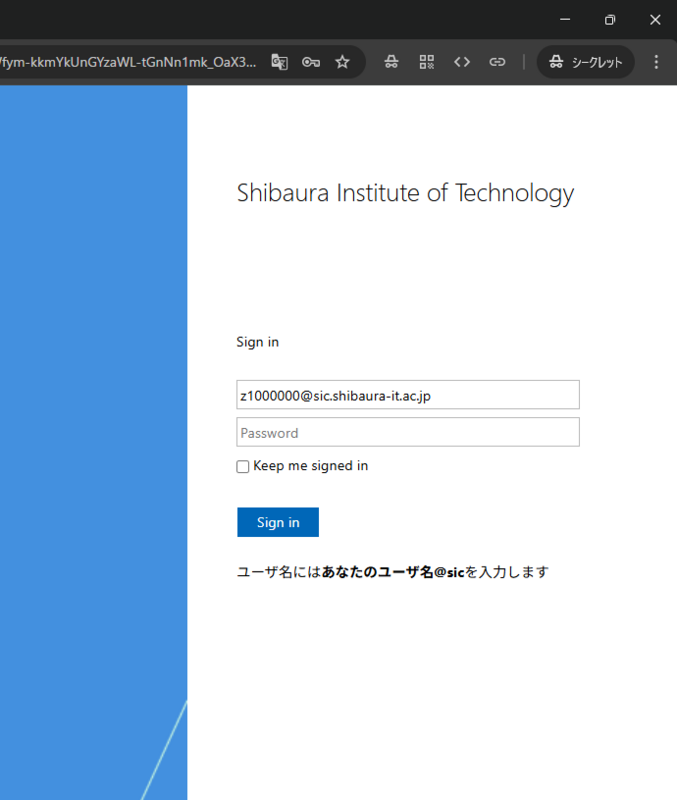
1.2. Enter your ADFS username and password, then click "OK."
SICID@sic.shibaura-it.ac.jp (e.g.:z100000@sic)
Windows password (same as ScombZ)
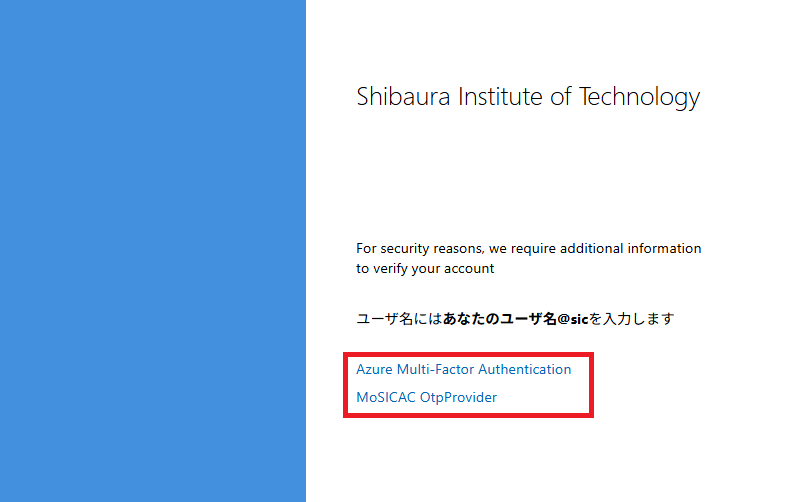
1.3. Click "Azure Multi-Factor Autorization" to perform Microsoft 365 multi-factor authentication.
Reference Guide: How to Use Microsoft 365 Multi-Factor Authentication

1.4. Login successful.

Fin. Setup is complete.
Let's review the settings you made on this page.
★I was able to access my email by following 1.How to log in Exchange Online .
If you're done, let's move on to the next step.
Problems or Not Ready?
Please contact oshiete@sic.shibaura-it.ac.jp
Note: Student staff will reply to emails sent to the student mailing list. Please be mindful of the content.
For more details on how to make an inquiry, please see here.