
Home > Frequently used guides and links > Frequently used guides and links (the first time) > Guidelines for new students > omedeto_din > Let’s register your student information
Let’s register your student information
2026/03/06 更新
You will register your student information in the Community section of ScombZ. We will explain how to respond to the questionnaire.
| Learning Objectives | ・Log in to ScombZ and access the community. ・Respond to the community survey. |
1.Login to Scombz
For instructions on how to log in to ScombZ and access the community, please refer to sections 2–3 of the ScombZ User Guide.
2.Access Community
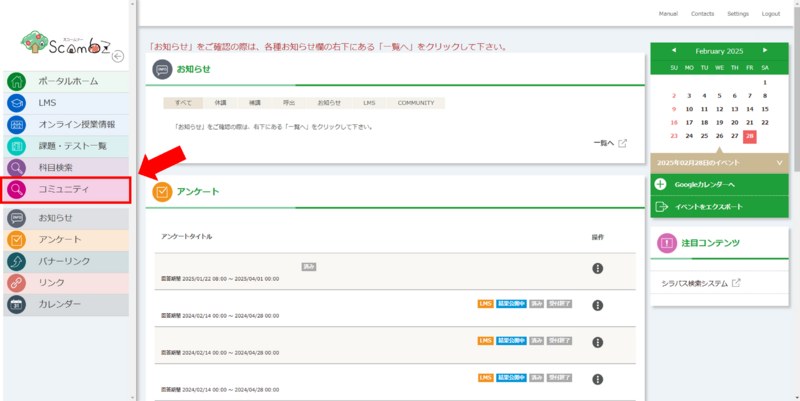
2-1. Click “Community” on the top page.
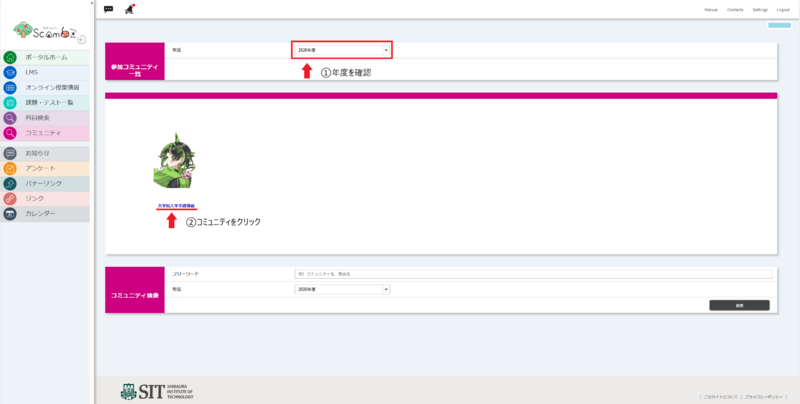
2-2. Check the academic year and select “Admission Info.”
※Please make sure that the academic year is set to "2026Academic year".
3.Answer the survey.
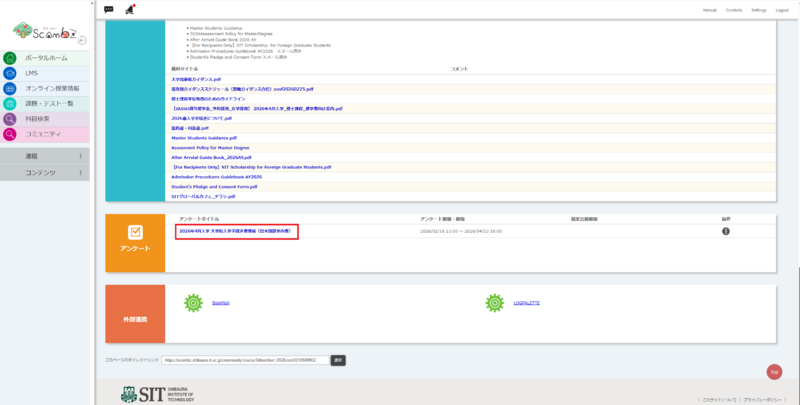
Select the survey titled “2026年4月入学 大学院入学手続き者情報(外国籍学内者)Graduate School Enrollment Information(for non-Japanese)”.
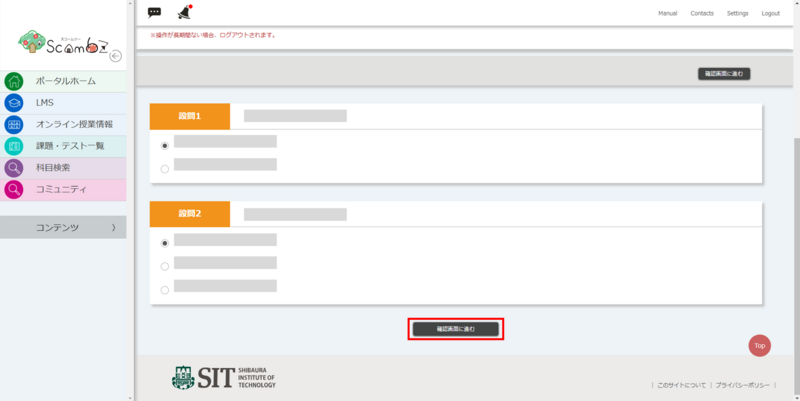
Answer the questionnaire and click “Confirm” at the bottom.
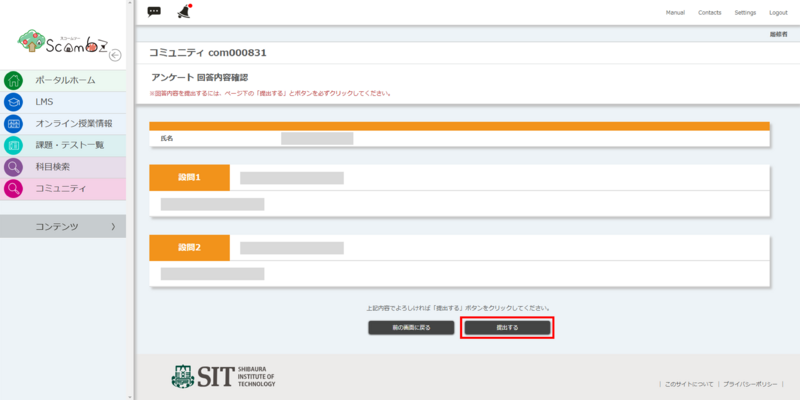
Review your responses and click “Submit.”
※If you need to revise your answers, do not use your browser’s “Back” button; click “Return to the previous screen” instead.
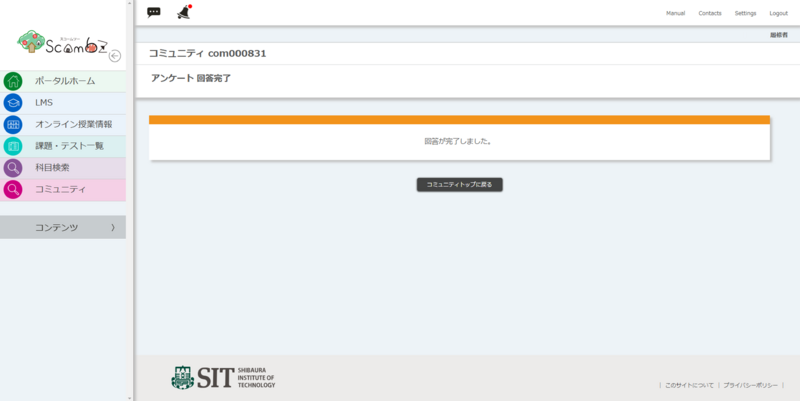
Once a message appears indicating that the response is complete, the completion report is finished.
What if it doesn't work or I'm not ready?
Please contact oshiete@sic.shibaura-it.ac.jp
※Student staff will reply to student inquiries mail. Please pay attention to the content.
For details on how to contact us, please click here.